

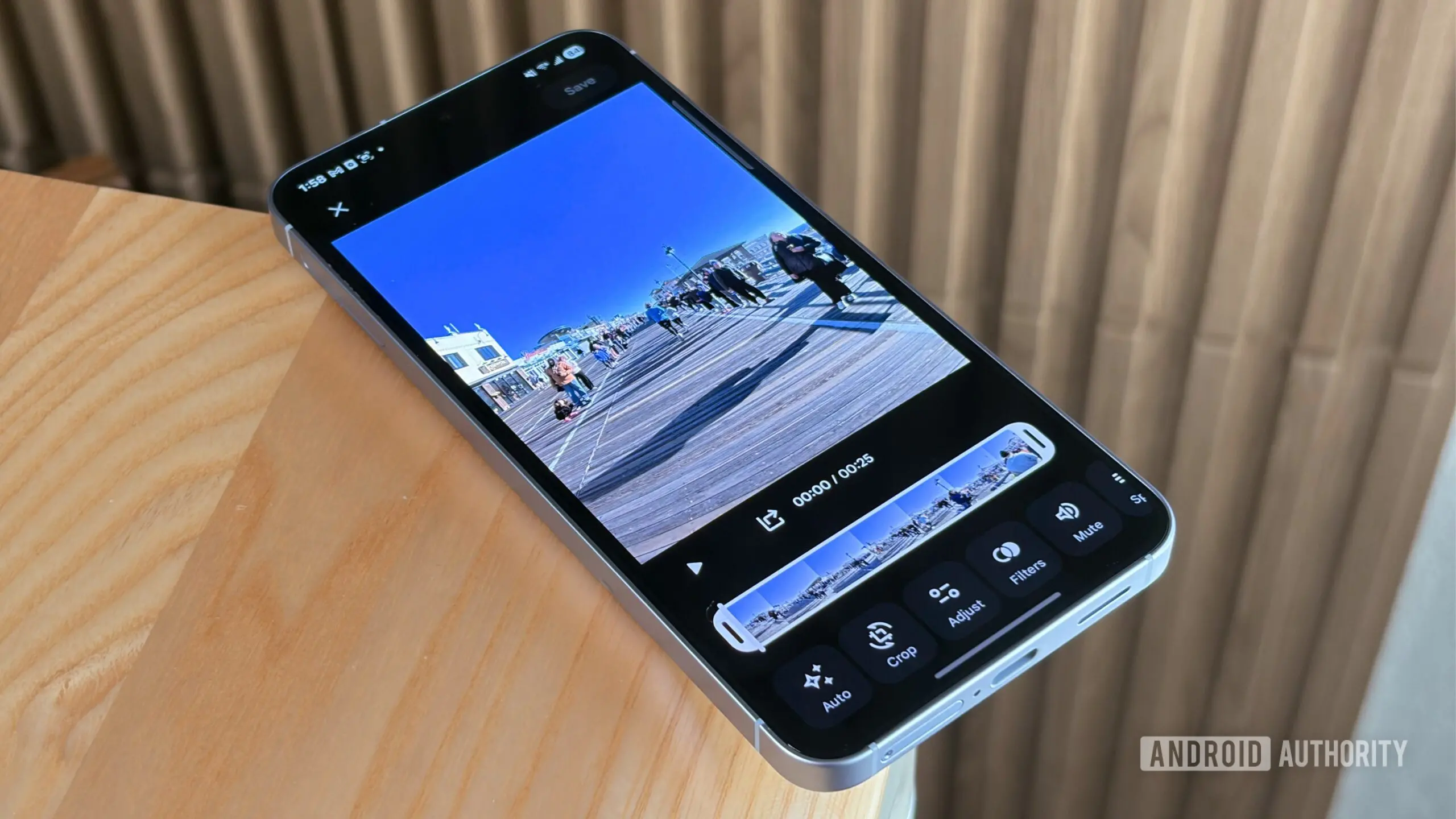
Google Photos' Memories feature offers a nostalgic trip through your photo library, automatically curating collections based on dates, people, places, or scenes. While sharing these memories has been a popular function, editing options have remained basic—limited to selecting photos or toggling audio. Now, Google is testing advanced editing tools that could transform how you personalize and share your memories.
Discovered in an APK teardown of Google Photos version 7.78.0.920664585, the new features integrate the same video editor used for Highlight videos. This brings powerful controls: you can adjust audio tracks, add text overlays, set custom durations for each image, and apply filters. The Highlight video feature itself is also getting two enhancements: the ability to apply a different filter to each photo for visual variety, and options to fit or stretch photos to fill a 9:16 canvas. Furthermore, a unified hub is being tested to store all creations—collages, remixes, animations, and cinematic photos—in one place.
These updates address long-standing user requests for more creative flexibility. The APK teardown, a common method for predicting upcoming features, reveals code that could change before public release. Google has been gradually improving Memories, including a revamped look with custom cutouts earlier this year. The new editing capabilities would bring Memories closer to dedicated video editing apps while keeping the experience simple and integrated.
Understanding Memories and its current limitations
Google Photos Memories work by analyzing your library using machine learning to group images into themed collections—like a vacation, a holiday, or a series of similar photos. Users can view these as a slideshow with automatic audio or share them as a collage or video. However, editing was limited to selecting which photos appear or whether audio plays. There was no way to control timing, add custom text, or apply filters, which limited creative expression.
The new video editor integration changes this. By leveraging the Highlight video feature—which itself is used for creating quick highlight reels from events—users gain a full suite of editing tools. This means you can trim the length of each photo, choose background music from your library or Google's suggested tracks, add captions, and even apply color filters to individual images. The result is a more polished and personalized memory video that you can share directly or download.
Details of the tested features
The APK teardown reveals three key areas of development:
- Edit Memories as videos: The existing Memories sharing dialog will include an option to edit the video before sharing. This opens the same editor used for Highlight videos, providing tools for audio, text overlays, image duration, and filters.
- Two new Highlight video features: Within the Highlight video editor, users can apply a unique filter to each photo, adding visual interest. Additionally, a fit/fill toggle allows images to be stretched to fill the entire 9:16 vertical canvas, accommodating portrait-oriented collections.
- Unified creations hub: A new section in the app consolidates all user-generated content like collages, animations, remixed images, and cinematic photos into a single gallery, making it easier to find and manage your creations.
These features are still hidden behind code flags, meaning they are not yet publicly available. However, their presence indicates that Google is actively considering these enhancements. Typically, features from APK teardowns appear within weeks to months, though some may never be released.
Background and evolution of Google Photos editing
Google Photos has steadily evolved from a simple backup service to a sophisticated platform for photo management and creation. The introduction of Memories in 2020 was a major shift, aiming to resurface old photos contextually. Over time, Google added the ability to create movies, collages, and animations manually. The Highlight video feature debuted in 2022 for automatically generating event recaps. The upcoming changes blur the lines between memories and highlights, offering unified editing.
The emphasis on vertical video (9:16) aligns with the popularity of TikTok, Instagram Reels, and YouTube Shorts. By allowing users to stretch photos to fill the screen, Google Photos makes it easier to create content for these platforms without cropping awkwardly. Custom filters per photo also cater to the desire for unique visual styles.
Impact on user experience and privacy
Enhanced editing tools could significantly improve how users interact with their memories. Instead of sharing a raw slideshow, users can craft a story with precise timing and music. The new hub reduces clutter by centralizing creations, which previously lived in various places within the app. Privacy remains intact, as all creation happens on-device or via encrypted cloud processing.
For power users, the integration means less reliance on third-party apps. People who want to share a vacation memory on social media can now create a polished video directly in Google Photos. The fit/fill option also addresses a common frustration: portrait photos appearing with black bars when shown in a vertical video.
Google's testing approach through APK teardowns is transparent to the public, offering a glimpse into roadmap priorities. It's important to note that these features are experimental; Google may modify or cancel them before official rollout. However, the pattern of incremental improvements suggests a strong commitment to making Memories more expressive.
As the features develop, users can expect more granular controls. For instance, the ability to reorder photos within a memory video might come later. The new editor also supports multiple audio tracks and advanced trimming. The creations hub could eventually integrate with Google Drive for backup and sharing.
These updates underscore Google's strategy to compete with Apple's Memories and third-party memory apps. By enhancing in-app creation tools, Google Photos retains users within its ecosystem while still allowing export. The emphasis on vertical video and filters also caters to younger demographics who prioritize shareable content.
In summary, Google Photos is testing a substantial upgrade to the Memories feature, bringing professional-level editing to casual users. The changes include a full video editor, custom filters, fit/fill options, and a unified hub. While not yet public, these innovations promise to make your memories shine brighter than ever.
Source: Android Authority News